
Estimate Invoice Maker By Moon
Moon Technolabs Pvt. Ltd.Business
4.3131.00 Reviews
- Version
- 8.16.2
- Installs
- 100.00K
- Age Rating
- Everyone
Screenshots
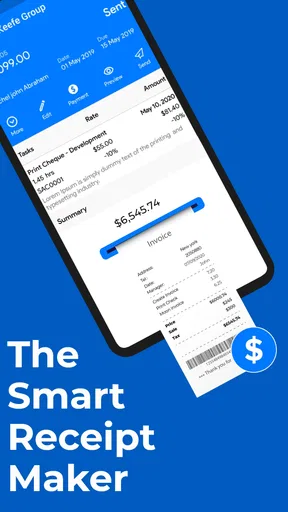
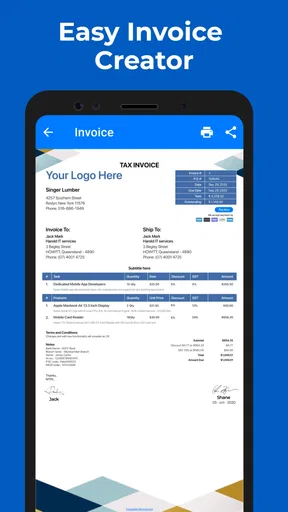
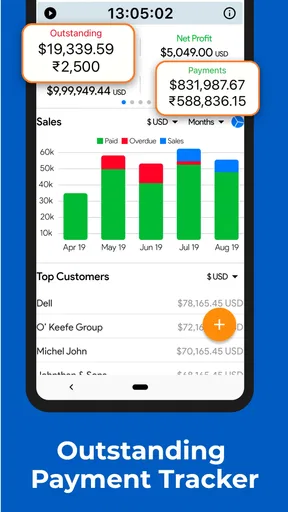
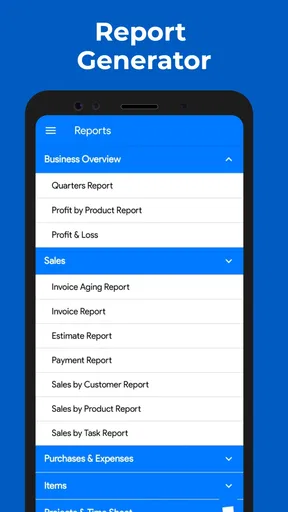
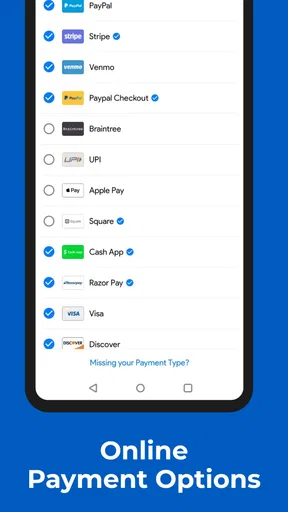
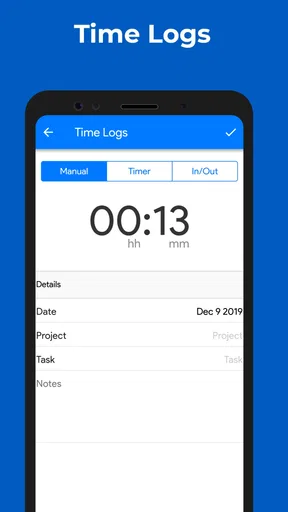
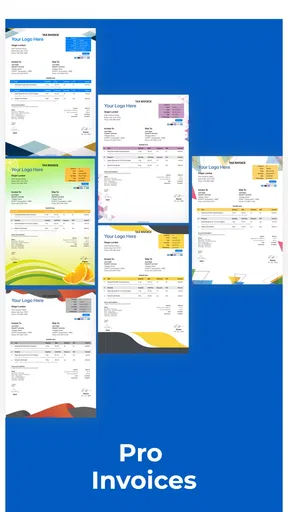
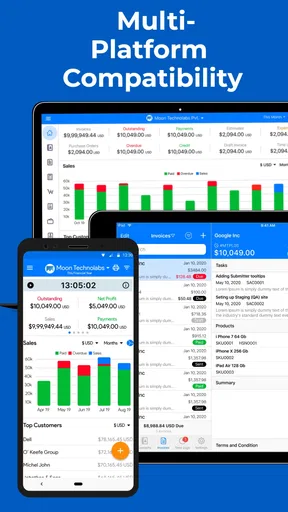
Our Review of Estimate Invoice Maker By Moon
 Analysis by Appyee
When I need to prepare an invoice without opening a full accounting system, I prefer a tool that gets me from customer details to a usable document with as little friction as possible. Estimate Invoice Maker By Moon is built for that specific moment: creating estimates, invoices, and receipts from a mobile device. I found it most appealing as a practical business app for freelancers, independent service providers, and small operators who want a straightforward invoicing workflow rather than a complete finance platform.
The app is free to install and is rated for Everyone, which makes it approachable for a broad audience. Moon Technolabs Pvt. Ltd. has kept the focus on everyday billing tasks, and the result feels more like a pocket invoicing desk than a replacement for bookkeeping software. That distinction matters. If you mainly need to issue professional-looking documents quickly, it can be a sensible choice. If you need deep accounting controls, complex tax handling, or a shared financial workspace, you should compare it carefully with alternatives before moving your entire process.
What I looked for before relying on it
My first decision criterion was speed. A mobile invoice maker is useful only if I can open it during a busy day, enter the customer and job information, check the totals, and finish without having to learn an elaborate system. Estimate Invoice Maker is aimed at that short path. Its store summary centers on invoice and receipt creation, while its short description presents it as an estimate invoice maker. In practical terms, that makes it especially relevant when a quote needs to become a bill after the customer accepts the work.
The second criterion was document flow. Many small businesses do not create an invoice in isolation. They estimate a repair, installation, design project, lesson, delivery, or other service first. Later, they need to turn that agreement into a final charge and keep the wording consistent. An app that supports this sequence is more useful than a basic receipt generator, because it can fit the way a real job develops from an initial price conversation to payment.
I also considered how much financial structure a user actually needs. A dedicated accounting package usually offers a broader view of income, expenses, tax records, reconciliation, and reporting. A mobile invoice tool has a narrower job. That is not automatically a weakness, but it means I would use it as the document-making part of my workflow unless my business were very simple. The right question is not whether it replaces accounting software; it is whether it removes the invoice bottleneck.
Finally, I paid attention to the practical commitment. The app is free, but it includes in-app purchases ranging from $0.99 to $599.99 per item. That wide range is a reason to examine any upgrade screen carefully before confirming a purchase. I would begin with a small, realistic trial: create an estimate, turn it into an invoice, prepare a receipt, and see whether the resulting process matches the way I already work.
A realistic workday with the app
Imagine a self-employed electrician finishing a small residential job. Before starting, the electrician prepares an estimate with labor and materials. The customer approves it, the work is completed, and the final amount needs to be documented before leaving the property. On a phone, an app like this can be useful because the estimate and invoice belong to the same practical conversation rather than being separated between a notebook, a spreadsheet, and a desktop program.
I would use the estimate as a checkpoint, not merely as a number sent to the customer. Before converting the work into a final invoice, I would check whether the materials changed, whether the labor description still matches the completed job, and whether any agreed adjustment needs to be reflected. This habit prevents a common mistake: treating the original quote as automatically correct after the job has changed.
For a freelancer, the same pattern works with a project divided into stages. I might prepare an estimate for a logo package, website task, translation assignment, or photography session, then create the invoice when the agreed milestone is delivered. The benefit is not advanced financial analysis; it is having a repeatable mobile routine that reduces the chance of forgetting a document while moving between meetings, a client site, and home.
Where the focused workflow is strongest
The clearest strength is its specialization. Instead of forcing a small operator to configure a large business suite, the app concentrates attention on estimates, invoices, and receipts. That narrower scope can make a difference when the user is uncomfortable with accounting terminology or does not want a system filled with features unrelated to billing.
I also like the way the three document types can support different stages of a customer relationship. An estimate helps set expectations before work begins. An invoice states what is owed after the charge is agreed or delivered. A receipt records that payment has been made. Keeping those purposes distinct helps avoid sending a receipt when the customer still owes money, or presenting an estimate as though it were a final bill.
Another useful insight is that the app can encourage better descriptions. A rushed invoice often contains a vague line such as “service completed,” which leaves the customer guessing. When preparing a document on a phone, I would use the item or description area to identify the actual work, the relevant period, and any material or stage involved. Even without sophisticated business reporting, clearer wording can reduce follow-up messages and disputes.
It is also a good fit for businesses that operate away from a desk. A mobile-first invoicing routine makes sense for tradespeople, tutors, cleaners, repair workers, consultants, and market-based sellers who may not carry a laptop. The value is greatest when the invoice is needed near the point of service, while the details are still fresh and the customer is present to review them.
The app’s audience is reflected in its adoption: it has passed 100K installs and holds a 4.3 average from 865 ratings, alongside 131 written reviews. Those figures suggest that it has found a real audience without making it a universal solution. I treat that kind of reception as encouraging, but I still judge the app by whether its workflow suits my own business rather than assuming popularity guarantees a perfect fit.
Small habits that make the process safer
One habit I recommend is separating the estimate review from the invoice review. After creating an estimate, I would read it as a customer would: Is the work understandable? Are the quantities and charges easy to follow? Once the job ends, I would review the final invoice independently instead of assuming that an earlier document contains every correct detail. This two-pass approach is more reliable than simply copying the first version forward.
A second habit is keeping a consistent naming style for customers and jobs. If I create one customer entry with a personal name, another with a business name, and a third with a shortened nickname, finding the right document later becomes harder. I would settle on one format and use a recognizable project description. That is particularly important for repeat customers, where a tidy history is more valuable than a single attractive invoice.
A third practical tip is to treat receipts as part of the record, not just a courtesy message. After payment, I would make sure the receipt corresponds to the correct invoice and amount. If a customer pays in stages, I would avoid describing the entire project as paid until the balance is actually settled. This simple discipline helps keep the customer-facing paperwork aligned with what happened financially.
I would also avoid using the app as the only place where important information exists. For a small operation, it is sensible to maintain a separate routine for storing completed documents or recording totals in the broader system used for taxes and bookkeeping. The invoice maker can handle the document event, while another process can preserve the business record. That division of labor is healthier than expecting a focused app to become the sole source of financial truth.
Where a broader alternative may fit better
The usual alternative is a spreadsheet. A spreadsheet can be cheaper in the long run and highly flexible, especially for someone who already has a carefully designed template. It can also make custom calculations and summaries easier. However, a spreadsheet requires more discipline: formulas must be maintained, layouts can break, and it is easy to overwrite a previous version. I would choose the spreadsheet route if I needed unusual calculations and was comfortable managing the template myself.
Another alternative is a full accounting platform. That category is stronger when invoicing needs to connect with expenses, bank activity, tax preparation, inventory, employee payments, or detailed reports. If I were managing a growing company with several people handling finances, I would lean toward that wider system. The trade-off is complexity. A larger platform may take longer to configure and may feel excessive for someone who only needs to issue a few documents each week.
There are also receipt-focused tools and general office document editors. A receipt app may be enough for immediate proof of payment, but it can be less suitable when the work begins with an estimate and ends with an invoice. A document editor gives maximum control over wording and design, but it does not necessarily provide the same focused sequence for recurring billing tasks. Estimate Invoice Maker makes more sense when the user values a billing workflow over unlimited document customization.
Businesses with strict regional tax requirements should be especially thoughtful. I would not assume that a convenient invoice generator automatically handles every local rule, industry-specific disclosure, or record-keeping obligation. Before adopting it for regulated billing, I would compare a sample document with the requirements that apply to my location and profession. If compliance is central to the business, a specialized accounting solution may be the safer category.
What may create friction over time
The first limitation is scope. A tool centered on estimates, invoices, and receipts may leave me wanting more once the business grows. I would not expect a focused mobile app to provide the same depth as a complete accounting environment. That is not a criticism of its purpose, but it is an important boundary for anyone choosing software with future expansion in mind.
The second is the risk of treating convenience as automation. Creating a document quickly does not guarantee that customer details, tax treatment, payment status, or descriptions are correct. I still need a checking routine. The app can shorten the mechanical work, but it cannot decide whether a charge is commercially fair or whether a particular transaction has been recorded properly.
The third concerns spending decisions. Because the app is free while in-app purchases can range from $0.99 to $599.99 per item, I would read the purchase terms shown inside the app and identify which functions I actually need before upgrading. A free starting point is helpful, but a business tool should be judged by its total cost over the period I expect to use it, not only by the initial download price.
There is also a version consideration. The current version is 8.16.2, and the minimum operating system is Android 8.0. That makes the app accessible to many older Android devices, although I would still keep the phone updated where possible and test the workflow on the device I intend to use daily. A billing tool is not useful if it becomes unreliable at the exact moment I need to issue a document.
The cost of changing an existing process
Switching to any invoice app has a hidden cost: rebuilding habits. I would need to decide how to name customers, how to describe services, where to store completed documents, and how to mark payments. If I already use a spreadsheet, the app may save time during document creation but require a second step for broader reporting. If I already use accounting software, moving only the invoice portion could create duplicate entry.
For that reason, I would not migrate every customer and old document on the first day. I would start with new work and a small group of recurring customers. That trial would reveal whether the app fits my real pace, whether the estimate-to-invoice transition feels natural, and whether I can maintain a clean record outside the app. Only after that would I consider making it the default tool.
A useful test is to process one complete business cycle: create an estimate, revise the job details after a hypothetical change, issue the invoice, record payment with a receipt, and retrieve the paperwork later. This exposes problems that a quick first impression misses. It also answers a practical question many users have: whether the app is convenient only for creating the first document or remains manageable across the whole customer interaction.
I would also test an imperfect case rather than only a simple one. Try a job with several line items, a changed quantity, a partial payment, or a customer who has more than one project. Those situations show whether the workflow remains clear when normal business messiness appears. If the process becomes confusing, a spreadsheet or accounting platform may be a better long-term home even if this app feels faster at the beginning.
My recommendation by type of user
I would recommend Estimate Invoice Maker to a freelancer or small service provider who needs mobile estimates, invoices, and receipts without committing immediately to a large financial suite. It is particularly attractive when the business is owner-operated, the number of transactions is manageable, and the priority is producing clear customer documents quickly.
I would also consider it for someone replacing handwritten receipts or improvised text messages. Moving to a consistent document process can make a small business appear more organized and can help the owner remember what was quoted, billed, and paid. The improvement comes from consistency rather than from any single decorative feature.
I would be more cautious for a company with multiple staff members, complicated tax obligations, inventory, extensive recurring billing, or a need for detailed financial reporting. In those cases, a broader accounting platform may justify its extra complexity. I would also look elsewhere if my work depends heavily on custom calculations or unusual invoice layouts that a focused mobile workflow cannot accommodate comfortably.
My overall view is positive but deliberately practical. This is not the app I would choose to run every part of a growing company’s finances. It is the app I would consider when the immediate problem is turning estimates and completed work into organized invoices and receipts from an Android phone. With a separate backup and bookkeeping routine, it can serve as a useful front end for small-business billing.
My clear recommendation: try it with a complete, low-risk customer cycle before making it your main system. The free entry point makes that experiment reasonable, and the Everyone rating keeps it approachable. Just review any in-app purchase carefully, maintain an independent financial record, and move to a broader alternative if your business needs reporting, compliance, or collaboration beyond document creation.
For my own decision, I would choose it when speed and simplicity matter more than deep accounting control. That is where Estimate Invoice Maker By Moon has the strongest case: it can make a routine business task feel manageable on the device already in my hand, while still leaving me enough flexibility to decide whether a larger system is necessary later.
Verdict
Strengths of Estimate Invoice Maker By Moon
- Creates professional estimates and invoices quickly from a phone.
- Useful templates help maintain a consistent business appearance.
- Tracks basic customer and document details in one place.
- Saves time for freelancers and small businesses with simple billing needs.
- Convenient for preparing documents while working away from the office.
Limitations of Estimate Invoice Maker By Moon
- May lack advanced accounting and bookkeeping features.
- Customization options can be limited for complex invoice designs.
- Not ideal for businesses needing detailed inventory management.
- Cloud backup and syncing options may depend on the selected plan.
- Some features may require in-app purchases or a subscription.
Similar Picks in This Category
View All
LinkedIn: Community & Network
LinkedIn3.8

Zoom Workplace
zoom.com4.1

Microsoft Teams
Microsoft Corporation4.6

Meta Business Suite
Meta Platforms, Inc.4.6

Webex Meetings
Cisco Systems, Inc.4.5

TeamViewer Remote Control
TeamViewer4.4
Frequently Asked Questions
What is Estimate Invoice Maker by Moon used for?
Estimate Invoice Maker by Moon is designed to help freelancers, contractors, small businesses, and independent professionals prepare estimates and invoices from a mobile device. After reviewing its workflow, the app appears focused on creating professional-looking documents, organizing customer and business details, and sharing billing information without requiring a desktop accounting program. It is especially useful for users who need a quick way to prepare paperwork while working away from the office.
Can I create both estimates and invoices with the app?
Yes, the app is intended to support both estimates and invoices, making it possible to prepare a quotation before a job and issue a bill afterward. This can help maintain a more consistent process with customers, since business details, item descriptions, prices, taxes, and totals can be included in the relevant document. Users should still review the final amount carefully, particularly when discounts, taxes, deposits, or multiple line items are involved.
Can invoices or estimates be customized and shared with customers?
The app provides tools for entering business information, customer details, products or services, pricing, and other document data so that estimates and invoices can be adapted to each transaction. Once a document is completed, users can generally save or share it digitally, which is convenient for sending paperwork by email or messaging services. Before sending, check the preview for spelling, contact information, payment terms, and calculation accuracy.
Is Estimate Invoice Maker by Moon suitable for small businesses and freelancers?
It can be a practical option for freelancers, self-employed workers, tradespeople, consultants, and small businesses that need straightforward invoicing rather than a full accounting platform. The mobile format is convenient for preparing documents immediately after completing a job or agreeing on a price. However, users who need advanced bookkeeping, inventory management, payroll, bank reconciliation, or detailed financial reporting may require a more comprehensive business solution.
Is the app free, and are there any limitations to check before downloading?
Before downloading, users should review the current Google Play or App Store listing because pricing, subscriptions, advertising, and available features may change between versions or platforms. Some invoice templates, exports, customization options, or unlimited document creation may be restricted to a paid plan. It is also worth checking privacy permissions, backup behavior, supported currencies and tax formats, and whether documents can be accessed if the device is replaced or the app is removed.
